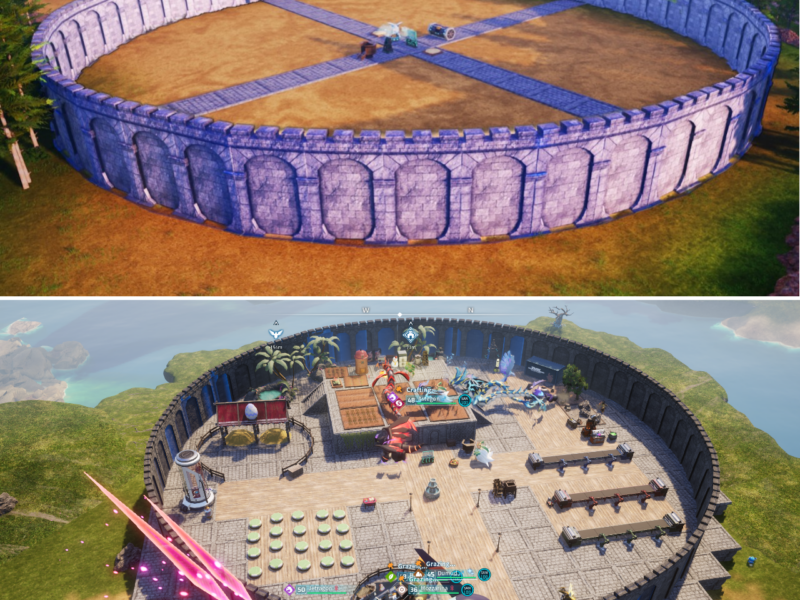
CIRCULAR SECUREMENT: HOW A ROTATION HACK CREATES PERFECTLY ROUND BASES IN PALWORLD 1.0
Palworld 1.0 builders just unlocked the trick to making PERFECTLY ROUND base walls using a hidden snapping rotation hack! ⭕🏰
Forget ugly square perimeter fences! A simple Cross-Foundation method lets you align Defense Walls directly along your Palbox radius line! But if you get a awkward gap at the very end, this ONE specific door trick fixes it instantly without rebuilding… 🔥 👇
Click here to learn how to easily build a clean, seamless round base perimeter in Palworld 1.0:
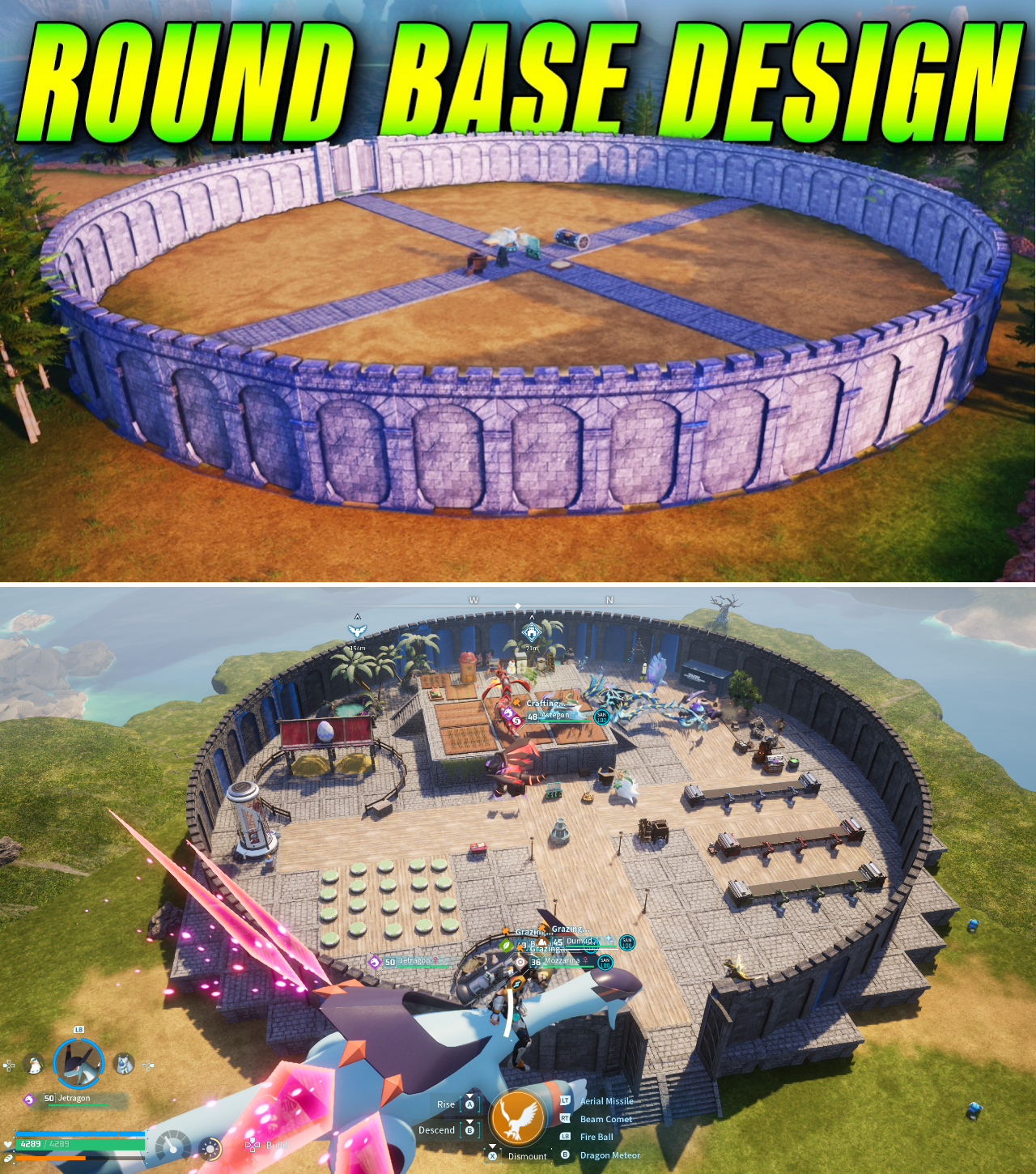
Base defense and structural aesthetics have taken center stage following the 1.0 full release of Pocketpair’s hit survival title, Palworld. For months, players securing their worker Pals against wild enemy raids relied on jagged, boxy perimeter fences. Because the building engine lacks native curved wall assets, attempting to enclose a base’s circular blue radius usually resulted in messy, misaligned walls that left wide gaps for hostile NPCs to breach.
However, a clever geometric technique detailed by gaming guide creator Fusion Thunder has solved the circular wall puzzle. By leveraging central Palbox alignment, cross-foundation radial guides, and fine mouse-wheel rotations, survivalists can now construct smooth, seamless circular defensive walls around their entire base territory.
The Anchor Foundation: Cross-Axis Alignment
The key to building an accurate circular wall lies in establishing precise mathematical guide points before placing a single defensive panel.
Construction begins at the exact geographic center of the planned base:
Construct a central Foundation block and place the Palbox directly onto it using Axis Alignment Mode.
Extend foundation lines outward from all four sides of the central Palbox in a symmetrical Cross Pattern (+ shape).
Continue extending foundations in all four cardinal directions until the outer edge of each line reaches the boundary limit of the Palbox’s blue radius circle.
These four foundation endpoints serve as physical perimeter markers, establishing the exact outer ring boundary of the base. Leaving a small fraction of a tile gap between the foundation edge and the blue perimeter line gives players the clearance needed to place freestanding defensive structures.
“Trying to free-hand a circle around your base without foundation guides is impossible,” Fusion Thunder explained in his tutorial. “The cross-foundation gives you four exact anchor points so your circle doesn’t become an oval.”
Precision Wall Rotation: Utilizing the Mouse Scroll Wheel
Once the foundation cross is established, builders transition to constructing the outer perimeter using defensive wall structures. While the Wooden Defensive Wall is available at Level 8 in the Technology Tree, builders recommend waiting until unlocking the Stone Defensive Wall (Level 19 Technology) due to its superior durability against fire attacks during raids.
The wall placement process relies on micro-rotations:
Position the character at one of the four cross-foundation endpoints.
Select the Stone Defensive Wall and align its center against the blue radius boundary line.
Use the Mouse Scroll Wheel (or controller rotation inputs) to incrementally pivot the wall panel frontward or backward.
Angle the wall panel so its outer face seamlessly traces the curve of the blue boundary line, then confirm placement.
Step along the perimeter and repeat the process, snapping each subsequent wall edge as close as possible to the previous panel while following the blue circular guide.
While individual wall panels remain straight segments, micro-rotating them along the circumference creates the visual illusion of a continuous, perfectly rounded defensive ring.
The Gap-Closing Hack: Hiding Perimeter Imperfections
Because defensive wall panels do not natively snap into curved angles, builders frequently encounter a minor gap or overlap when completing the final section of the 360-degree loop.
Rather than tearing down the entire wall to readjust micro-angles, Fusion Thunder showcased a simple structural fix to resolve the final gap:
Micro-Readjustment: Disassemble the last three to five wall panels leading up to the gap. Re-place them at slightly straighter angles to naturally shrink the remaining space.
The Defense Gate Cover: If a small gap remains, place a Stone Defensive Gate (or wooden door) directly over the gap aligned with the foundation grid. Disassembling the single awkward wall segment beneath the gate conceals the gap completely while adding a functional, aesthetic entry point for the base.
“The gate trick saves you from going crazy over a two-inch gap,” noted one base builder on r/Palworld. “It covers the alignment error and gives you your main entrance at the exact same time.”
Operational Benefits of Circular Base Walls
Beyond creating a sleek, professional architectural look, establishing a tight, rounded defensive wall provides major mechanical advantages in Palworld 1.0:
Raid Pathfinding Denial: Raiding NPC squads (such as PIDF forces or syndicate cleansers) cannot find corner gaps or pathfinding vulnerabilities, preventing them from shooting into the workforce area.
Pal Retention: Eliminating jagged wall corners prevents large worker Pals (like Digtoise, Relaxaurus, or Mammorest) from getting wedged between rectangular wall intersections and starving.
Maximized Interior Space: Following the exact circular boundary of the Palbox ensures that every square inch of usable base space inside the blue radius is protected and accessible for production facilities.
Architectural Mastery in Palworld 1.0
The development of the circular base wall technique [http://www.youtube.com/watch?v=Ef4xD5RkQWQ] demonstrates how Palworld 1.0’s building community continues to manipulate sandbox mechanics to overcome engine limitations.
By utilizing cross-foundation anchors, micro-rotations, and tactical gate placement, players can construct secure, beautifully proportioned round fortresses that protect their workers while elevating the visual standard of the Palpagos Islands.